Getting Started
So, you've just loaded up dx9ware but having trouble with getting started. This could be simply having trouble opening the interface or having trouble configuring it.
For new users dx9ware can be overwhelming to use.
Opening the interface
Once loaded, the default key to open the interface is F1.
This can be changed in the hotkey settings.
ESP
ESP Config Tutorial Video
Here's a quick video with ESP being enabled in a basic baseplate game.
video credits: cropw
To make this simple for you, the first step should be enabling ESP to ensure dx9ware will work on the game you are loaded into.
- Open the user interface
- Go to
Visuals->ESPand pressEnable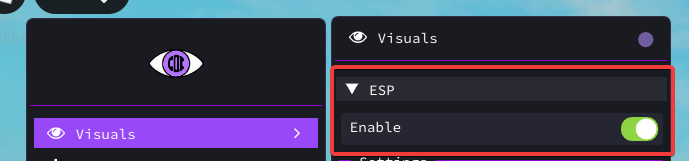
ESP is now enabled, however if you are in a Free-For-All game or a game that does not make use of ROBLOX teams, you should enable Team ESP. This is a good way of testing to see if dx9ware works in your game.
- Go to
Visuals->Team - Enable
Team ESP
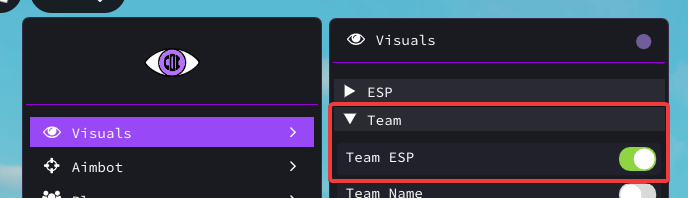
Close the interface using F1 again to see the ESP.
Further Configuration
From here, you can configure the ESP to your liking. Change the colour, add chams/skeleton etc.
Aimbot
Aimbot Config Tutorial Video
Here's a short video of all the necessary config settings to get aimbot to work in a basic third person game with no teams.
video credits: cropw
Follow these steps carefully to get a basic aimbot working.
- Go to
Aimbot->Aimbot - Toggle
Enableto enable aimbot - Toggle
Show FOV(for simplicity, you can disable later)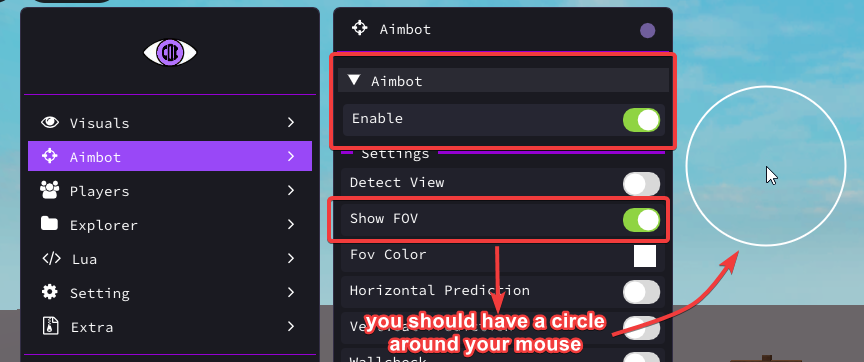
The following sections below are important to get aimbot to work successfully.
Set Aimbot Mode
- Go to
Aimbot->Miscellaneous - Select an aimbot mode. You should select one of two options:
- Third Person: If you are playing a Third Person Shooter game
- First Person: If you are playing a First Person Shooter game.
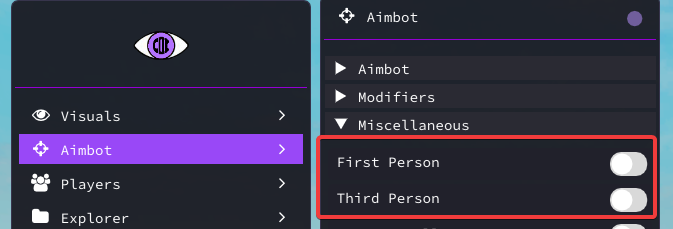
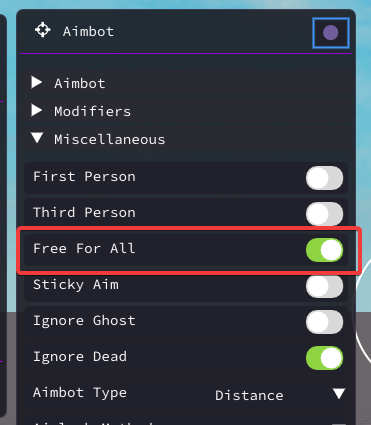
Configure Free For All setting
- If you are playing a game with no teams. (Da Hood, Criminality, etc...), then enable Free For All otherwise dx9ware aimbot will not work, because by default it will only lock for players on the enemy team.
Set Aimlock Method
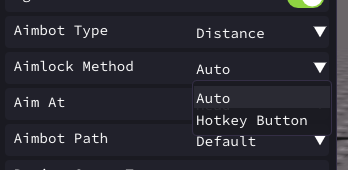
- By default dx9ware will set aimlock method to
Auto.
This only works on first person games.
Automode will automatically aimlock. If you are playing a third person game or you do not want auto aimlock, change this toHotkey button
Set Aimbot Hotkey
-
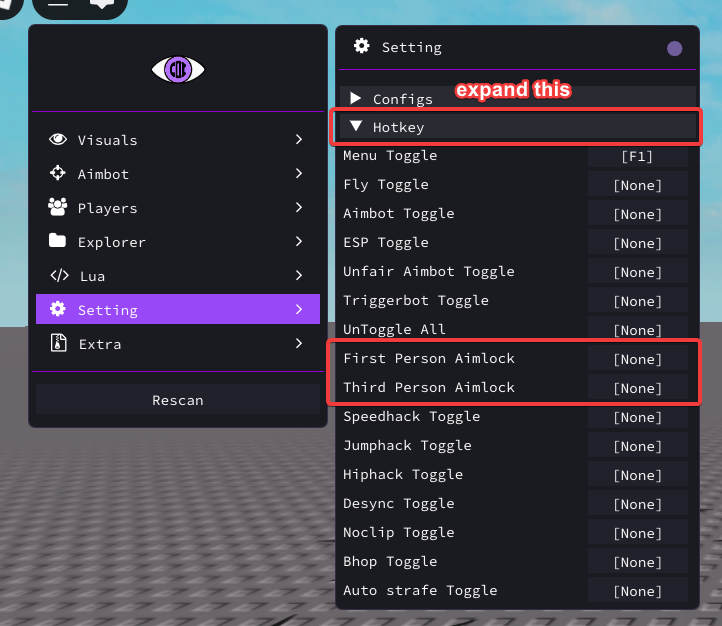
If you are playing a TPS game or have changed Aimlock Method to
Hotkey button, you will need to set an aimbot hotkey.- Go to
Setting->Hotkey - Set a hotkey for either First Person Aimlock or Third Person Aimlock depending on what kind of game you are playing
- Go to
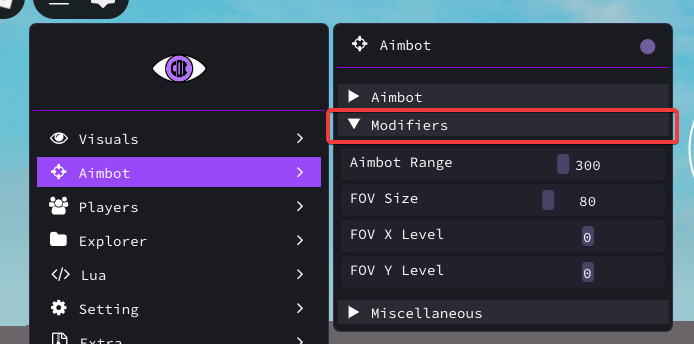
- Close the interface and begin aimbotting by holding down your hotkey if set. dx9ware will only aimbot on players in your FOV and in range (configurable in
Aimbot->Modifiers)
Character hacks (Fly, Desync & etc.)
Follow these steps to properly use the extra features.
- Go in the
Extrasection -> ExpandCharacter Hacks. - Enable the feature you want (ex: Fly, Noclip)
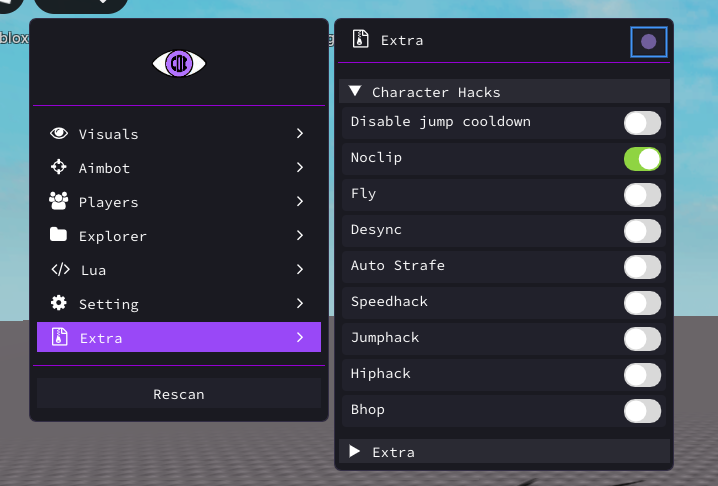
- Bind the feature. Go in
Setting->Hotkeyand then bind the feature you toggled before.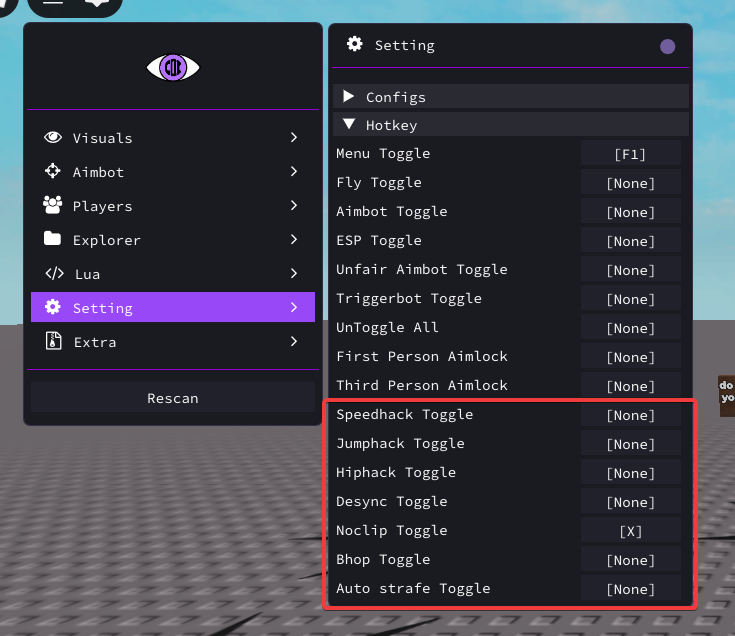
- Now that you binded it, press the hotkey on your keyboard and see the magic happen!
💭 You can also view all the hotkeys on your screen and when the features are toggled or not! It's in the Extra section.
Teleporting Between Games
If you are teleported between games, you need to press the Rescan button on the menu.
If the aimbot or ESP does not work, it means that the game uses custom character models.
A way to check on some games is to head into "Players" and check if the players' in-game names are showing up.
Here's two examples. (1st one is Bad Business, 2nd is Deadline)
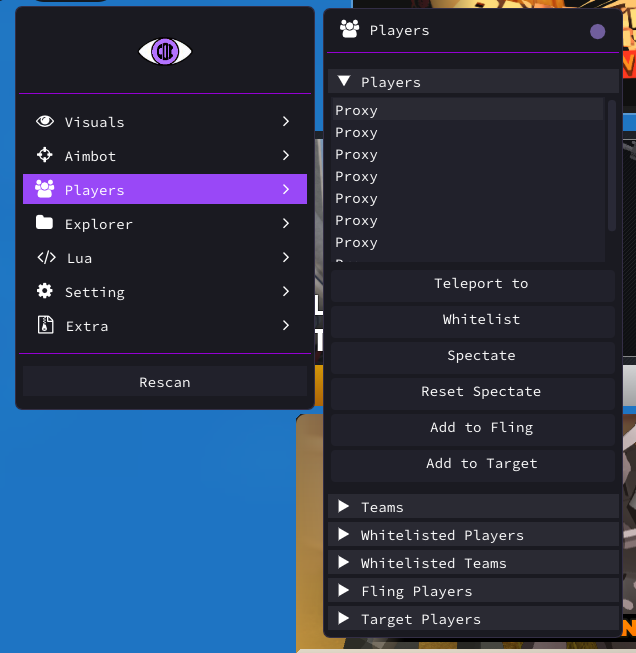
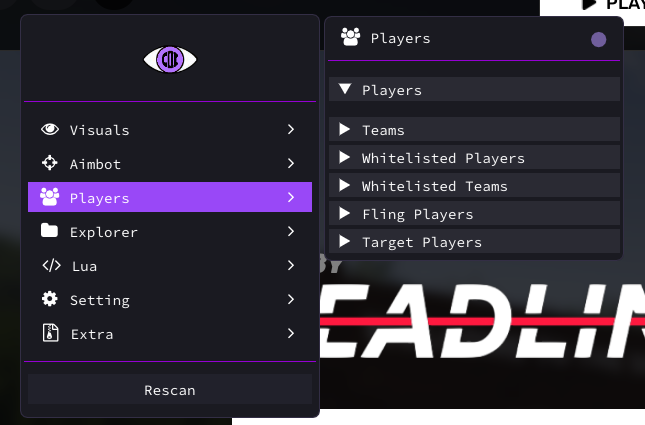
For this case, you will need to use DX9LUA.
You can try and find an existing script for your game by joining our discord server and looking for the #scripts channel.
Anybody can also create their own DX9LUA scripts if you have the knowledge.